HELP
Email Encryption
A guide to viewing encrypted emails from The Children’s Program.
To our Clients,
The Children’s Program uses Encrypted email to help secure communications containing Protected Health Information (PHI) to maintain HIPAA compliance. You may request that your own PHI information be sent to you unencrypted if you wish.
If you are having trouble opening the encrypted emails, please see the guide below.
NOTE: Some users may have settings with their email provider, or browser, or other network configurations that make receiving encrypted emails difficult, and we are unable to troubleshoot individual cases. In these cases, you can request an e-Fax, or postal mail, to receive documents.
1. View the Encrypted Email
Clients will receive an email from Microsoft Office 365 with the encryption notification, they need to click on Read the Message.
2. Request a One-Time Passcode
After clicking Read the Message, you will be taken to a page with a series of links. You should select the option to Sign in with a One-time passcode. Leave this page open.
3. Retrieve the One-Time Passcode
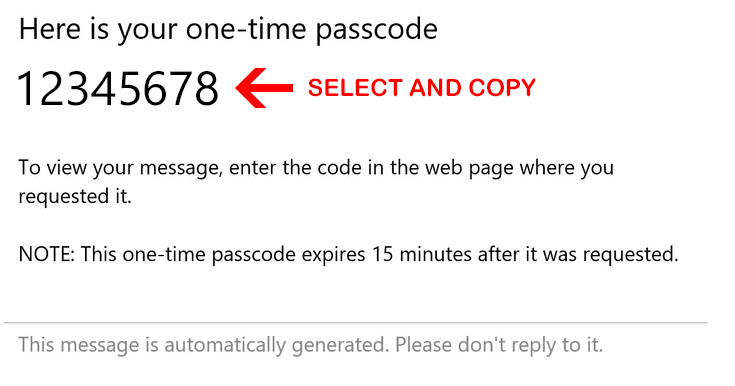
You will receive an email from Microsoft Office 365 Message Encryption with the passcode inside. Highlight and copy the code.
4. Use the One-Time Passcode
Return to the page from step two, where you clicked the “One-time passcode” button. You will see a box into which you can enter the code that was emailed to you. Enter it, and then click Continue to open the email.